Project:
A Document Management System (DMS) made inside of Microsoft Access using heavy VBA, SQL (JetSQL), and a some Python.
Note: Due to proprietary information and respect for my past employer, certain information is not shared.
Details:
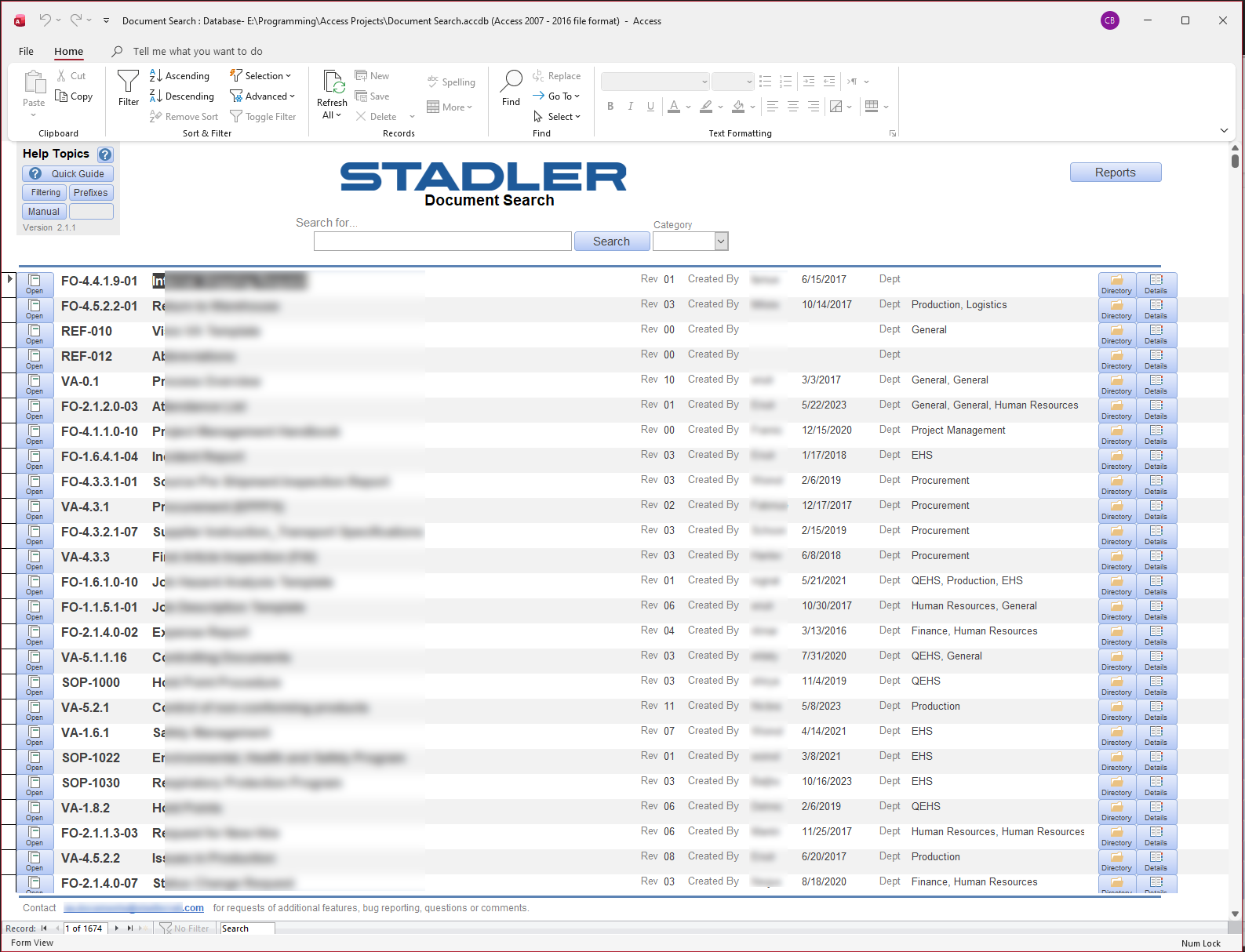
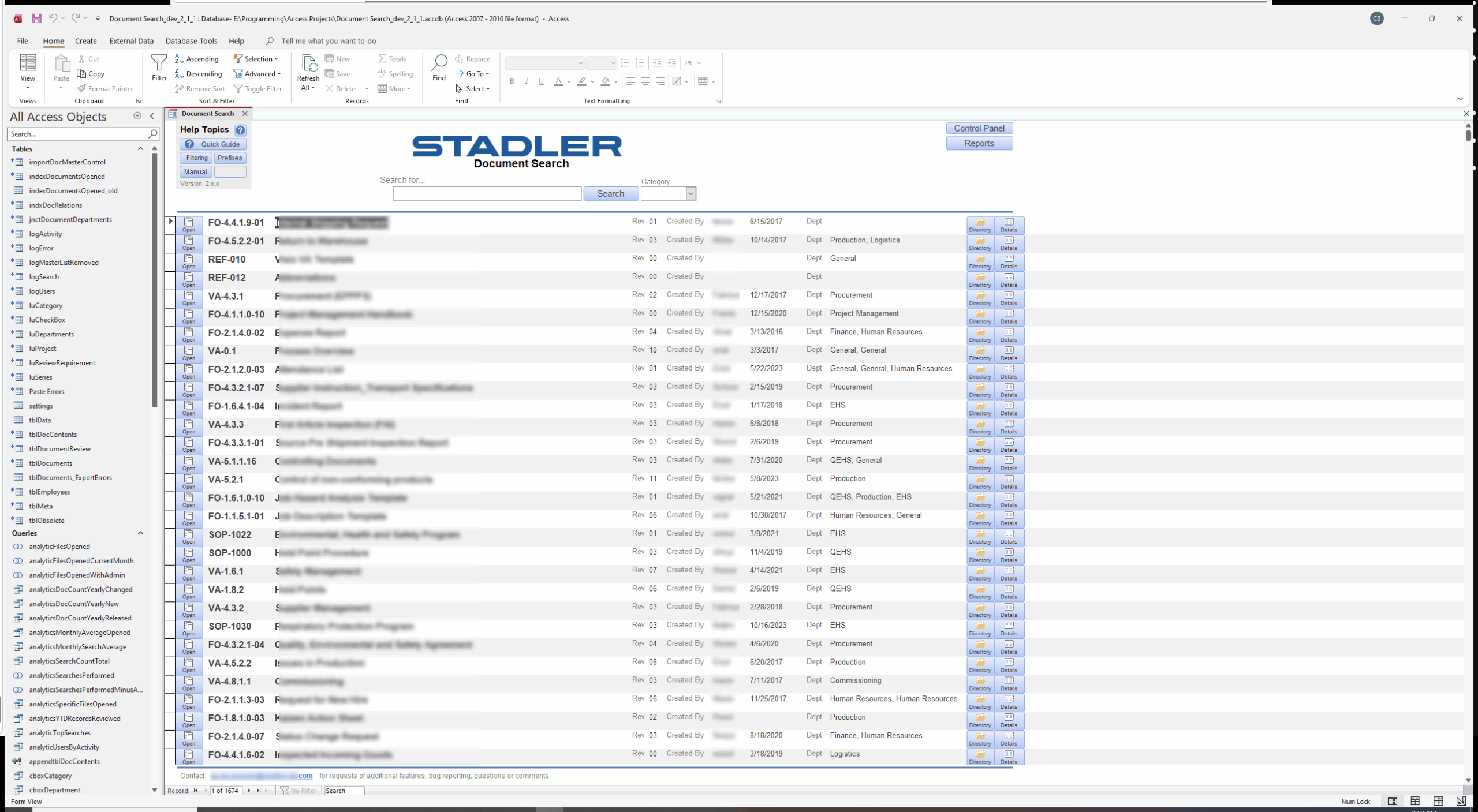
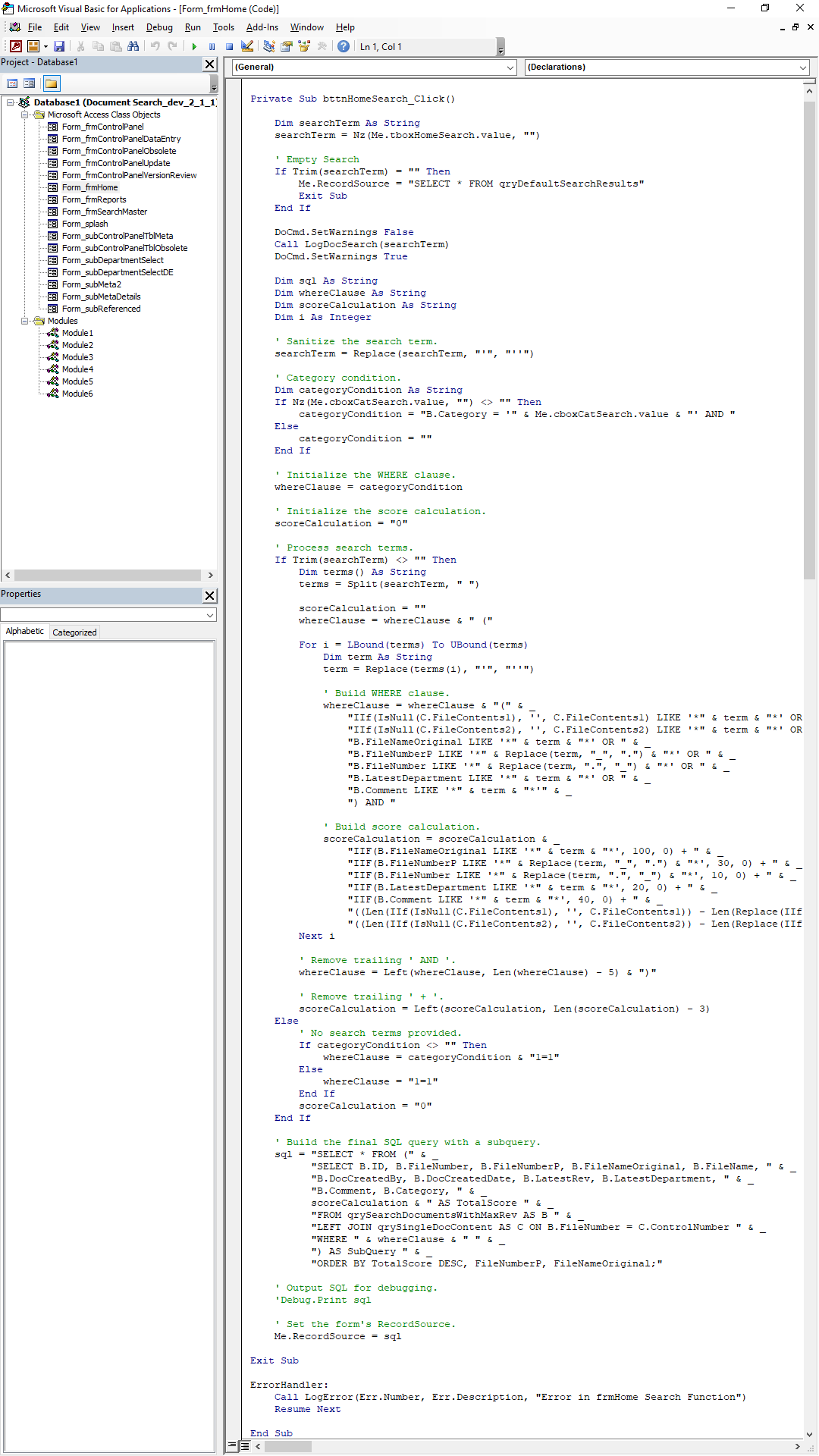
The system functioned for most employees as a simple document search engine, allowing the easy finding and opening of documents. For those involved with Quality Assurance and related functions, departments and audits, this system tracked and documented versioning inclusive of editors and approvers of documents, relevant dates, obsolete documents, etc. Even deeper, it would regularly scan the entire company’s directories, searching for new documents, checking if records within the DMS were obsolete or updated. Additionally, a set of python scripts were written to do similar scans on all documents to parse the actual contents of documents and import those into the database. When searching for documents, this enabled users to not only search for documents based on title (as well as various thing such as category and department), but also based on the contents of the documents themselves. Search queries were then delivered and sorted based on a score which calculated from the quantity of occurrences of the search tokens as well as where those occurrences were found – Search tokens in the title always had the highest score, while tokens found in the document body had a very low score, listing them lower in search results, unless that token was found many times within the body. This system even found and linked related documents together. To top it all off, the document search queries were actually very fast, usually taking only a fraction of a second to produce query results.
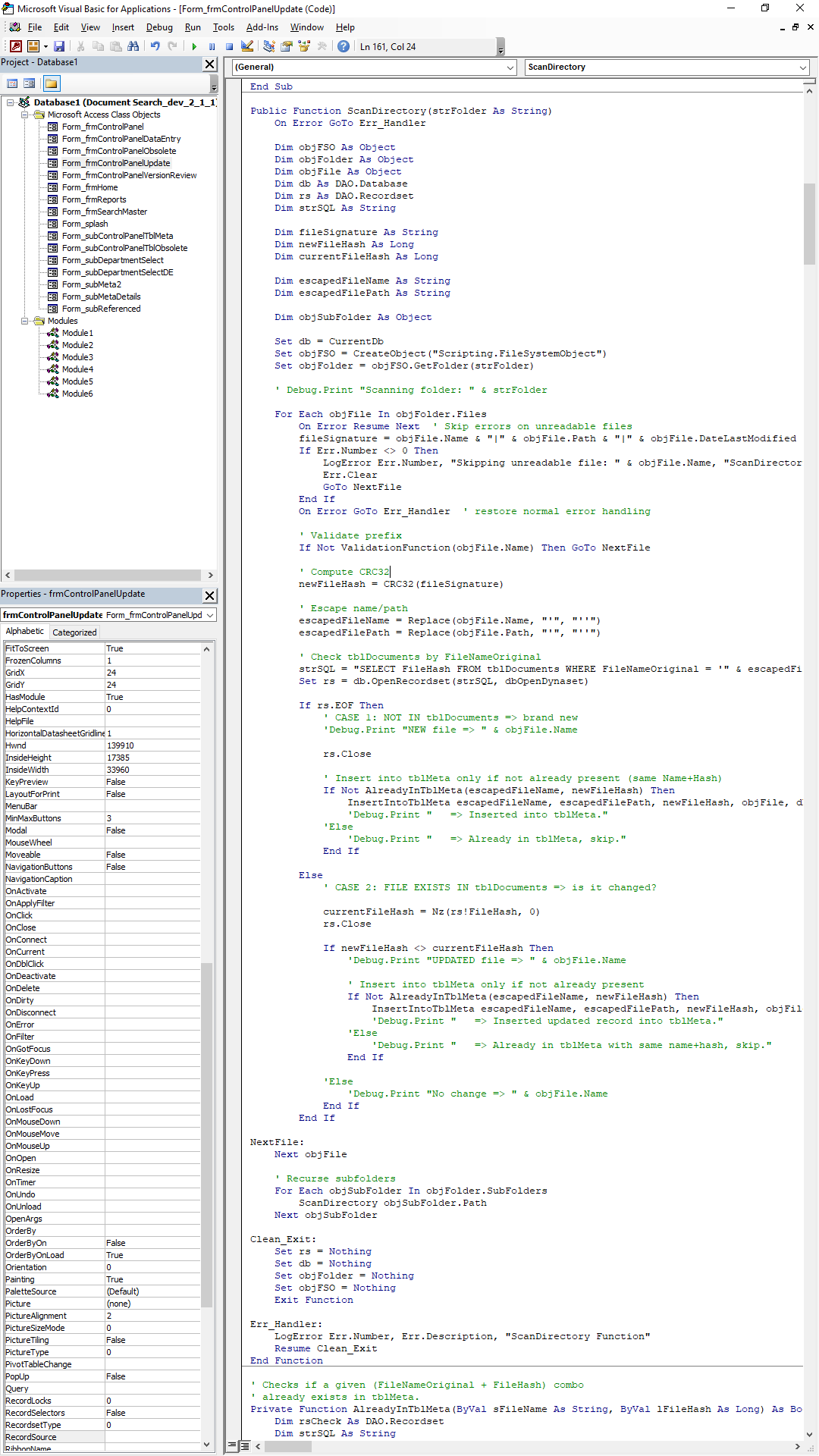
The main search function code can be seen in the screenshots here.
This Access database was split into a front end and back end with the back end containing all of the document and company data. The front end contained the forms and code. For my own purposes, a developer backend was used. For front end users, a separate, highly secure version was released that disabled the vast majority of Access features including the ability to edit any data, navigation panes, access to the code itself, and other features needed exclusive by the QA team. Even most of the backstage features (backend options etc) were disabled in such a way that is was extremely unlikely that any front end user could tamper with sensitive data.
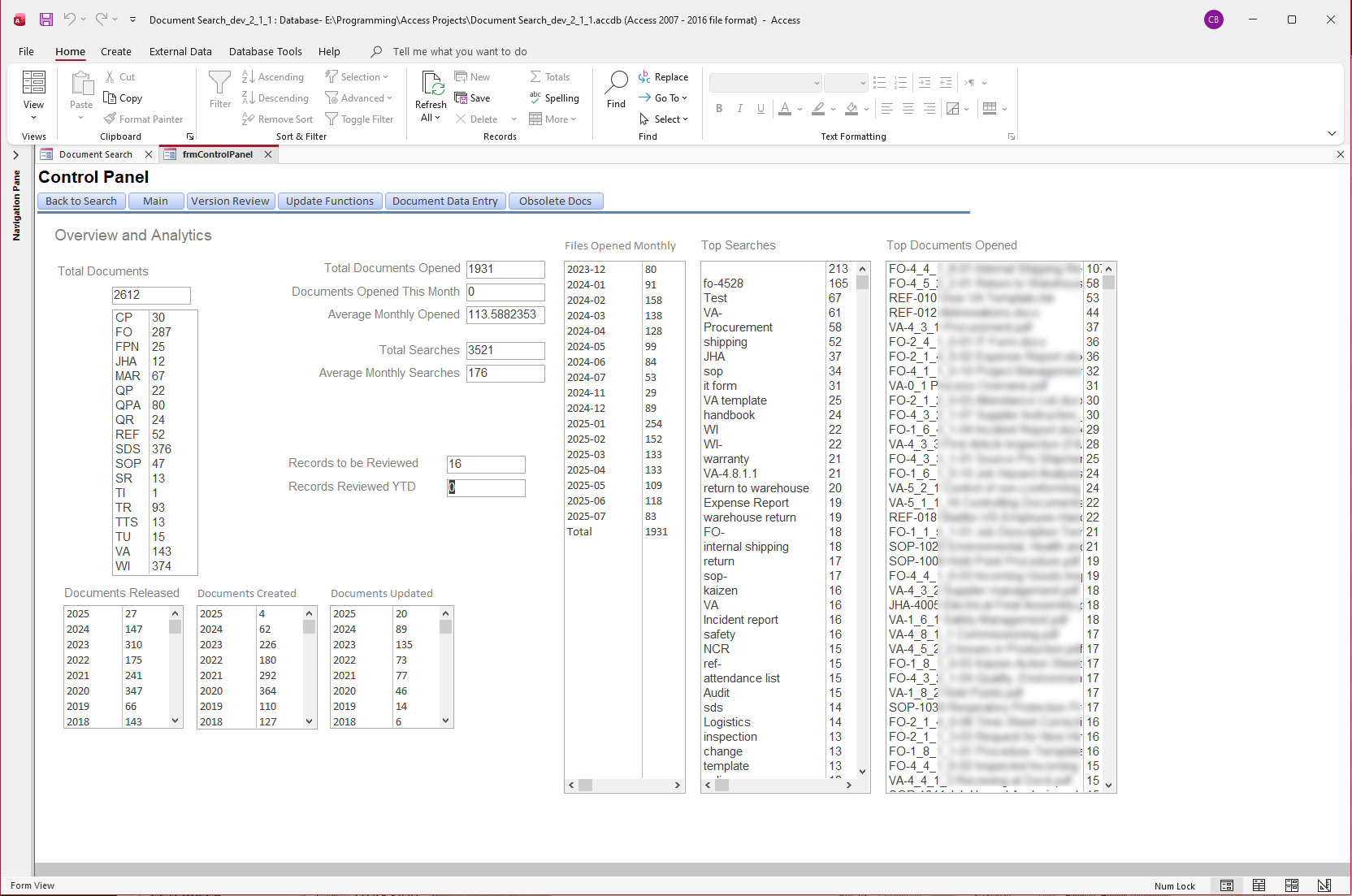
Included in the backend tools for the QA team was the ability to manually run updates to check for new documents, perform data entry on document records missing info, manage versioning and other related information, as well as extensive tracked analytics info related to documents and user searches. Logging was also included to track specific users, user login analytics, searches, and even let us know which version of the front end system was being used.
Documentation, inclusive of a detailed manual were written to help manage this system so that it was not limited to being usable or manageable by only myself.
Problem Solved:
Before this system was made, there was little automation and documents were searched manually through the standard windows file system. Searching for and managing documents was often a time consuming process. Work for Quality Assurance and Document Control and related audits was a very lengthy, tedious process.
Result:
This system dramatically sped up the process of finding documents. What could take 15 to 30 minutes of hunting for a single document was reduced to literal seconds. Figuring out where documents were located and what documents existed became a matter of a simple search. This system sped up work in a dramatic fashion, centralized document versioning, created a source of truth, and freed up Quality Assurance. It was estimated that this project saved around a couple hundred thousand dollars over a span of one year.
Leave a Reply